
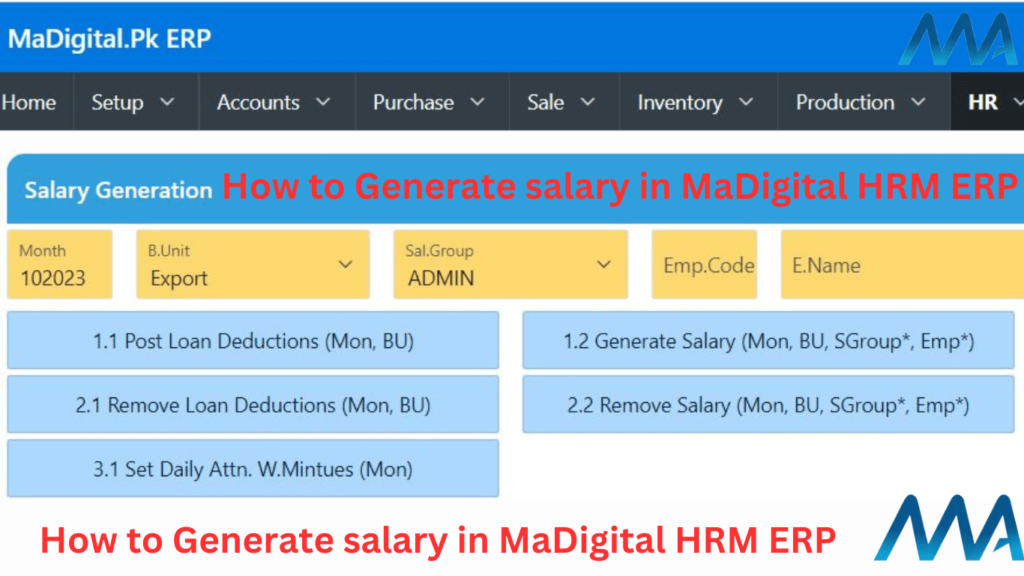
Salary Generation is very easy process in MaDigital ERP before this you need to check some important things listed down step by step:
Process 1
In 1st step you need to verify all employees attendance days are correct if not then Correct them then check if any Employee is “IN” in last month you need to “OUT” that employee manually check below image how to check IN with missing OUT 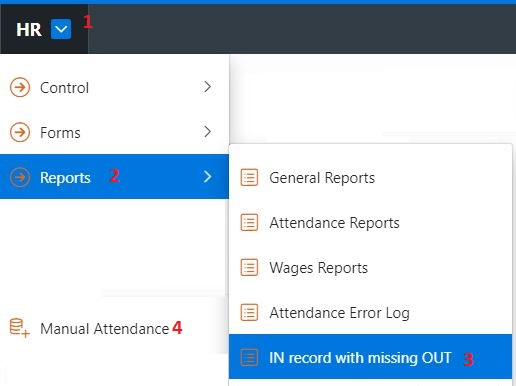 Go to 👉🏻 HR 👉🏻Reports 👉🏻 IN record with missing OUT then check which employee is still in last month NOTE that employee CODE and Open 4 👉🏻 Manual Attendance module and write that employee code and press Mark button.
Salary Generation Process
For this Go to
- 👉🏻 HR 👉🏻 Forms 👉🏻 Salary Generation
then this Below Form Opened Understand this image if any query Comment us
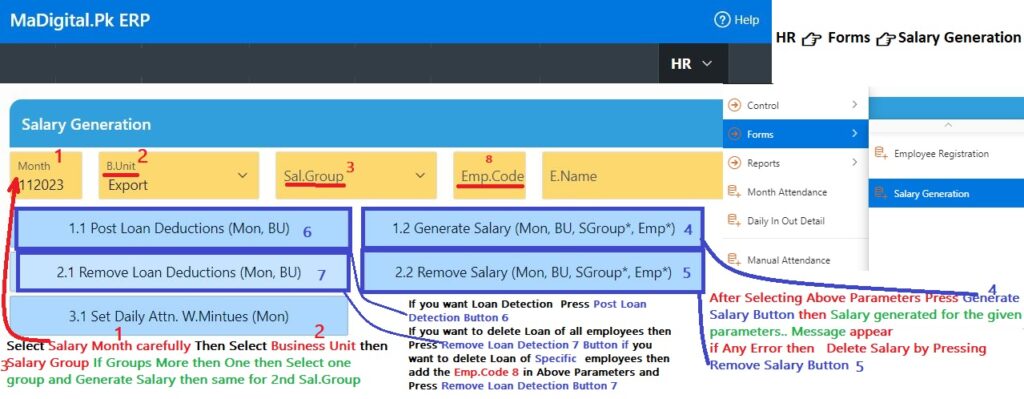
- 👉🏻Select Salary Month carefully Then
- 👉🏻Select Business Unit then
- 👉🏻Salary Group If Groups More then One then Select one Sal.Group After Selecting Above Parameters Press
- 👉🏻 Generate Salary Button then Salary generated for the given parameters.. Message appear
if Any Error in salary sheet or you need to change employee attendance data then Delete Salary by Pressing
- 👉🏻Remove Salary Button
if you want to delete Salary of Specific employees then add the
- 👉🏻 Emp.Code in Above Parameters and Press
- 👉🏻 Remove Salary Button.
If you want Loan Detection Press
- 👉🏻 Post Loan Detection Button
If you want to delete Loan of all employees then Press
- 👉🏻 Remove Loan Detection Button
if you want to delete Loan of Specific employees then add the
- 👉🏻 Emp.Code in Above Parameters and Press
- 👉🏻 Remove Loan Detection Button that’s all.