
Managing the Departments and Sections
you can manage your employee’s department section from the frontend here. All you have to do is, click on the ‘👉🏻HR 👉🏻 Controls 👉🏻 Department‘ in menu bar. And then click on ‘+ to Add New Department‘
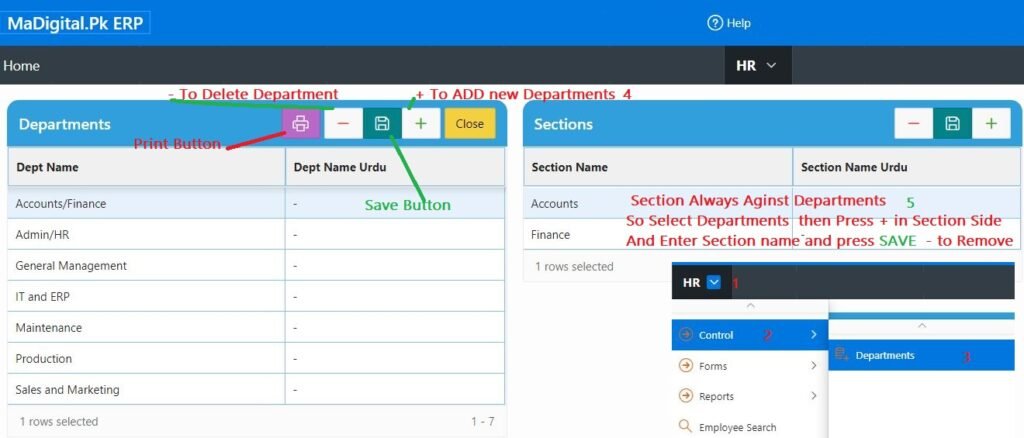
- 👉🏻+ to Add New Department Type Department Name then Press Save Button
- 👉🏻- to Delete Department if Some Record against any Department then that entry not Delete-able
- 👉🏻To Add New Section Select Department 1st because Section always against Department then
- 👉🏻+ to Add New Section Type Section Name then Press Save Button
- 👉🏻- to Delete Section if Some Record against any Section then that entry not Delete-able